Targeted
“22 kWh, or 80 %, by 07:00, with as little grid as possible.” Gleanvolt plans backwards from your departure: the sun first, the grid only for what the sun can’t bring in time. You see the plan before anything starts.
When to choose it
Section titled “When to choose it”When you need a certain amount by a certain time, and have hours to spare: overnight, or from the morning to the evening. It works best with a solar forecast.
How to start it
Section titled “How to start it”-
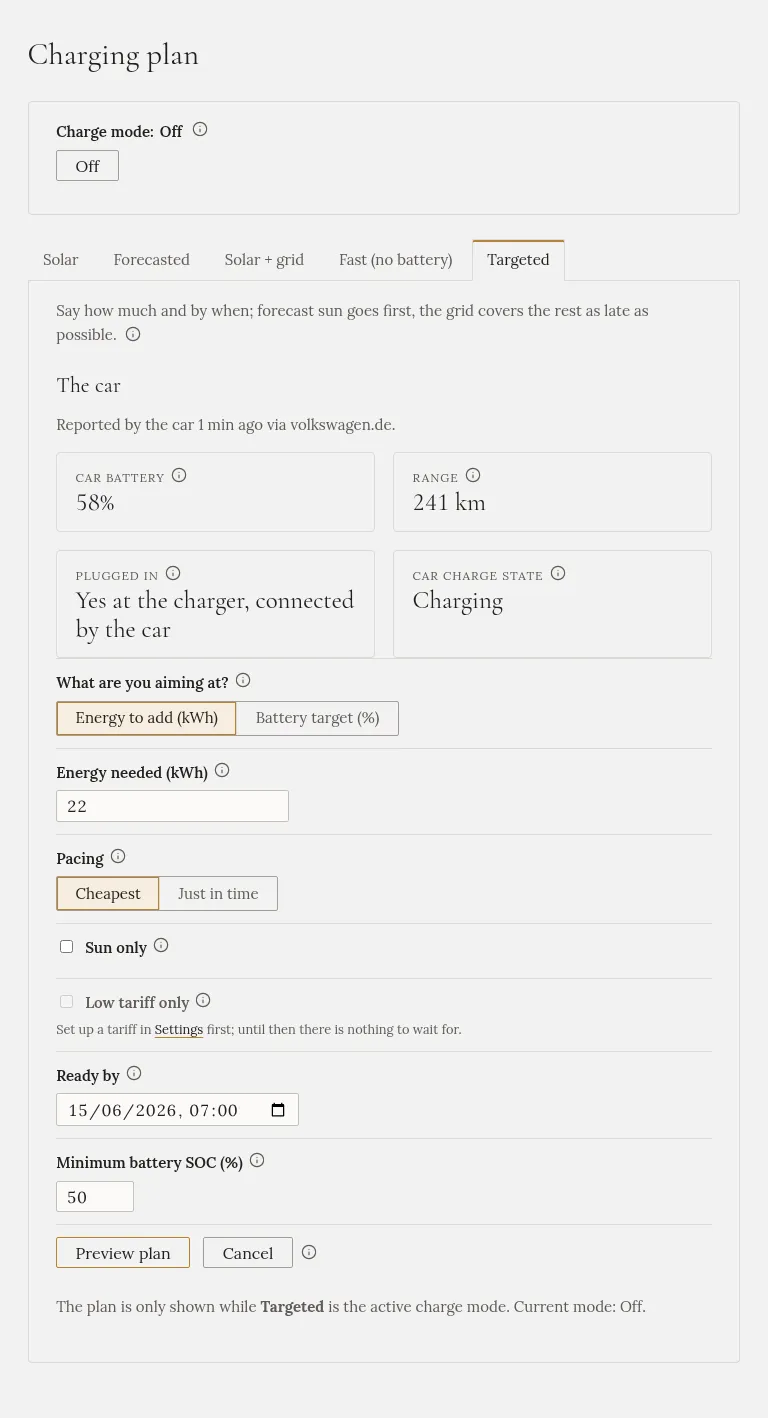
On Charging plan, open the Targeted tab. At the top, it shows what the car last reported.
-
Under What are you aiming at?, choose Energy to add (kWh) or Battery target (%), and enter the amount. (The percent option appears when the car reports its battery level.)
-
Choose the Pacing: Cheapest or Just in time (see below).
-
Tick Sun only if nothing may be bought from the grid, or Low tariff only if it may be bought only in the low tariff.
-
Set Ready by: when you’re leaving. At most 36 hours ahead.
-
Optionally, change Minimum battery SOC: the home battery level the car must leave alone.
-
Press Preview plan.
Read the plan before it starts
Section titled “Read the plan before it starts”The preview says, in words, how the target will be met: how much from the sun and when, how much from the grid and when, and how fast the car will charge.
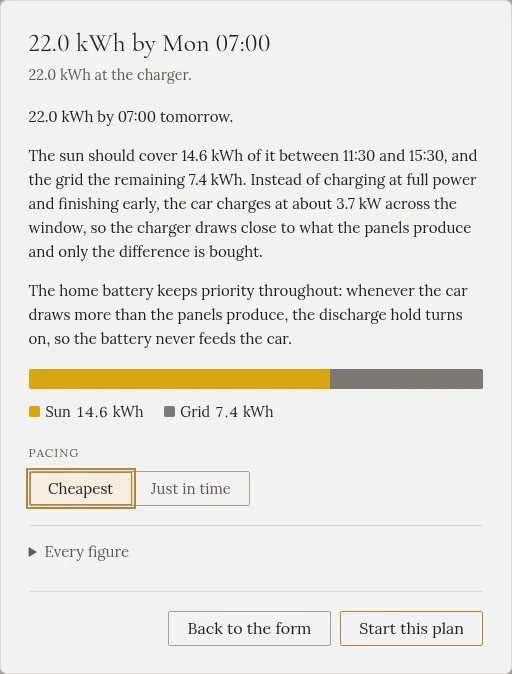
Press Start this plan to start, or Back to the form to change something.
If the target can’t be met even at full power, the preview says how much you’ll get, and the departure time that would be enough.
What it does
Section titled “What it does”- It paces the charge. Rather than charging at full power and finishing early on grid, it spreads the charge over the time you gave it, at a rate the panels can mostly match. Sun above that rate goes into the car too, and lowers the rate for later.
- The grid covers only what the sun can’t, as late as possible.
- When the sun is just too weak for the car alone, it may buy the small difference now, instead of buying the whole amount after dark.
- The plan is recalculated every few seconds, from the forecast and from what has really been delivered.
Cheapest or just in time
Section titled “Cheapest or just in time”- Cheapest delivers the amount as cheaply as possible, and usually finishes long before you leave.
- Just in time charges up to 80 % the cheap way, then holds the rest back and charges it shortly before you leave, so the car doesn’t sit at a high level all night. This can cost a little more, and the preview says how much. It needs the car’s battery level.
Sun only
Section titled “Sun only”With Sun only, nothing is bought. Whatever the sun can’t bring by the departure is shown in the preview as a shortfall.
Low tariff only
Section titled “Low tariff only”With Low tariff only, the car waits through the high tariff, even when the sun is shining, just like Fast (no battery) with the same option. The plan counts only on the low-tariff hours before you leave. Whatever doesn’t fit in them is shown in the preview as a shortfall.
It needs a tariff, set up on Settings. It can’t be combined with Sun only: ticking Sun only turns it off.
When it stops by itself
Section titled “When it stops by itself”- The target is reached.
- The departure time passes.
- The car stops at its own limit, or is unplugged.
The home battery
Section titled “The home battery”It keeps its priority. The car only gets the sun the battery doesn’t need, and when the car draws more than the sun gives, the battery discharge hold is switched on (if it is turned on for your installation), so the battery doesn’t feed the car.